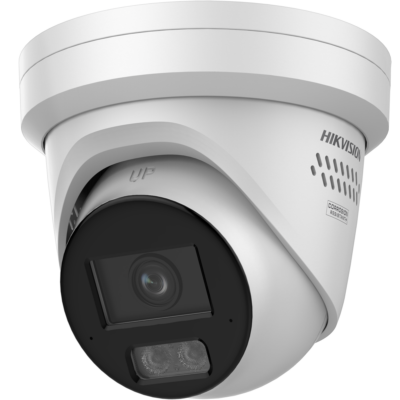
Practical explanation about setting the alarm's night mode with a mobile app
Set the alarm's night mode with a mobile app is about keeping everyday use simple while preventing unauthorized access or management rights. The best solution is not automatically the system with the most functions, but the solution that demonstrably suits the object and daily use. With a mobile app, technology, ease of use and the desired response to an alarm or malfunction must be clear in advance. This manual discusses the most important choices, checks, installation steps and management agreements, so that setting the alarm at night with a mobile app not only sounds good on paper but also works reliably in practice.
Start with the security goal and risks
First describe what problem needs to be prevented, detected or recorded. In this topic, uncontrolled changes, loss of a phone with app access, shared codes and excessively broad administrative rights are particularly relevant points of attention. Don't just look at a possible burglary or malfunction, but also at the consequences of failure, unclear follow-up and incorrect daily use. Determine which rooms or zones are critical, at what times the risk is greatest and who is responsible for control and follow-up. This creates a verifiable starting point for the choice of equipment and settings.
Map out the technical preconditions
The technical core consists of roles, time schedules, zone groups, reporting routes and logging. With a mobile app, check at least an up-to-date user list, own code per user, rights per role, notification of failed login attempts and periodic checking of logs. In addition, pay attention to existing cabling, available power supply, quality of internet and mobile range, mounting surface and space for expansion. A system that works well in a demonstration may react differently in a building due to concrete, metal, glass, distance, weather influences or network load. A location check and a test setup prevent surprises.
Choose components that together form one system
Don't judge each product separately, but look at how management rights, user profiles, personal codes, push notifications and time schedules work together. Check compatibility between brand, protocol, firmware and management platform. Reserve capacity for future expansion and, where possible, choose parts for which batteries, mounting brackets and replacement will remain available later. In security, predictable behavior is more important than a long list of features. A simple configuration that is properly tested and managed is often more secure than a complex setup that no one fully understands.
Carry out installation and placement carefully
Before installation, create a floor plan with zones, components, cable routes and power points. Place equipment out of easy reach of unauthorized persons, but in such a way that maintenance remains possible. Take into account sources of interference, reflections, heat, moisture, moving objects and mechanical stress. Label cables and components, record serial numbers and record settings. Test during installation step by step so that an error can be directly linked to the last change made instead of only becoming visible during the final test.
Configuration, notifications and user rights
Set up zones, users, time schedules and notification routes as easily as possible. Use personal accounts or codes and only give the rights that someone needs. Determine which event triggers a push notification, siren, email or control room action and prevent duplicate or unclear notifications. Also test exceptions: an open door, network outage, power outage, empty battery, attempted tampering or a user without sufficient rights. The configuration is only ready when normal use and abnormal situations are demonstrably processed correctly.
Include privacy and digital security
Modern security systems also require attention to digital access and personal data. The basic principle is to only use personal codes and log data for a clear security purpose. Replace default passwords, enable two-factor authentication when available, and keep firmware up to date. Restrict remote access, use encrypted connections and delete old users immediately. For cameras and log registration, the purpose, access and retention period must be determined in advance. Back up the configuration regularly, but do not store it unsecured on a shared computer or in a public cloud folder.
Delivery and demonstrable testing
After installation, perform a full functional test. Activate each detector, door, camera, notification or automation rule separately and check the recording in the logbook. Test day and night situations and simulate controlled power and network outages. Check whether emergency power takes over and whether notifications reach the right people. Record the outcome with date, location, settings and any remaining points. Give users a brief instruction about daily use, fault messages and the procedure in the event of a real incident. A verbal explanation without documentation is insufficient for sustainable management.
Maintenance and periodic inspection
Create a maintenance calendar based on risk, manufacturer advice and operating environment. Check batteries, backup batteries, mountings, connections, signal strength, image quality, logs and contacts. Clean components where dust, cobwebs or grease could affect performance. Repeat a full test after remodeling, network replacement, door or window changes, and major software updates. Compare new test results with the delivery. This way, slow quality loss becomes visible before it leads to a missed notification or unusable recording.
Avoid common mistakes
In projects involving setting the alarm at night with a mobile app, the same mistakes often occur: sharing one code with everyone, enabling management rights by default, not removing temporary accounts and sending notifications to outdated numbers. Another mistake is resetting too quickly or changing settings without first reading the log. This means that important information about the cause disappears. Therefore, work with a fixed change procedure: write down the reason, make a backup, adjust one part at a time and then test again. Never disable a safety function for a long period of time as a temporary solution; in that case, organize additional surveillance or rapid professional support.
Costs, lifespan and professional help
When budgeting, make a distinction between one-off costs and recurring costs. Consider maintenance, cloud storage, control room, SIM card, batteries and software licenses. When making quotes, ask for a clear specification of components, work, warranty, response time and management. Professional help is especially important when multiple locations, large user groups or external links need to be managed centrally. If in doubt, have a risk and location assessment carried out. This can be used to determine which measures are necessary, which are optional and how the installation can later be checked and expanded without reducing safety.
Practical conclusion
Setting the alarm's night mode with a mobile app becomes reliable when the purpose, technology, placement, management and follow-up are aligned. Start with a concrete risk analysis, choose compatible parts, document the configuration and also test failure and failure situations. Schedule periodic maintenance and keep user rights, contacts and software up to date. This way, the security remains usable for the people who work with it and in the event of an incident it remains clear what happened, what notification was sent and what action is subsequently required.
Installation, use and maintenance
Setting the alarm night mode with a mobile app: preparation and location control
With a mobile app, first assess the current user list, own code per user, rights per role, notification of failed login attempts and periodic checking of logs. Create a floor plan, determine critical areas and check power, network, mounting surface and range before final mounting of equipment.
Setting the alarm night mode with a mobile app: compatibility and extension
Check that administrative rights, user profiles, personal codes, push notifications and schedules support the same protocol, the correct firmware and the chosen management platform. Reserve capacity for expansion and record type numbers and versions.
Set alarm night mode with a mobile app: accounts and network security
Replace default passwords, use personal accounts, enable two-factor authentication and restrict remote access. Where possible, place security equipment in a separate network segment and keep firmware up to date.
Setting the alarm's night mode with a mobile app: emergency power and failure test
Test in a controlled manner what happens in the event of a power and network failure. Check emergency battery, alternative communications, local signaling and notifications. Note the actual bridging time and recovery procedure.
Setting the alarm's night mode with a mobile app: maintenance and periodic inspection
Schedule checks for loss of a phone with app access, shared codes, excessive admin rights, and old users who remain active. Clean and inspect components, check logs and contacts, test all zones, and create a new configuration backup after changes.
Fault and solution
Setting the alarm night mode with a mobile app does not work as expected
Problem: De installatie geeft geen melding, reageert vertraagd, verliest verbinding of veroorzaakt herhaald ongewenste meldingen tijdens nachtstand van het alarm instellen met een mobiele app.
Mogelijke oorzaken: Mogelijke oorzaken zijn verlies van een telefoon met app-toegang, gedeelde codes, te ruime beheerdersrechten en oude gebruikers die actief blijven, een configuratiefout, een recente wijziging, defecte voeding of een niet-passende montageplaats.
Oplossing: Controleer stap voor stap actuele gebruikerslijst, eigen code per gebruiker, rechten per rol, melding bij mislukte inlogpogingen en periodieke controle van logs. Lees eerst het gebeurtenissenlog, maak een back-up van instellingen, wijzig één onderdeel tegelijk en voer daarna een volledige functietest uit.
Professionele hulp: Schakel professionele hulp in wanneer de storing terugkeert, een kritieke zone buiten werking is, bekabeling of netspanning moet worden aangepast of de oorzaak niet veilig kan worden vastgesteld.
Veelgestelde vragen over nachtstand van het alarm instellen met een mobiele app
Wat houdt nachtstand van het alarm instellen met een mobiele app precies in?
Nachtstand van het alarm instellen met een mobiele app betekent dat de beveiligingsoplossing wordt afgestemd op met een mobiele app. Het gaat niet om één los product, maar om dagelijks gebruik eenvoudig houden en tegelijk voorkomen dat onbevoegden toegang of beheerrechten behouden. Breng daarom eerst risico’s, gebruikers, zones, communicatie en gewenste opvolging in kaart.
Welke onderdelen zijn belangrijk bij nachtstand van het alarm instellen met een mobiele app?
Belangrijke onderdelen zijn onder meer beheerrechten, gebruikersprofielen, persoonlijke codes, pushmeldingen, tijdschema’s en zonegroepen. Welke combinatie nodig is, hangt af van het object, de omgeving, het gewenste beveiligingsniveau en de manier waarop alarmen of storingen worden opgevolgd.
Waar moet ik vooraf op letten bij nachtstand van het alarm instellen met een mobiele app?
Controleer vooraf actuele gebruikerslijst, eigen code per gebruiker, rechten per rol, melding bij mislukte inlogpogingen, periodieke controle van logs en procedure bij uitdiensttreding. Leg ook vast wie het systeem beheert, welke uitbreidingen later mogelijk moeten zijn en hoe de installatie blijft functioneren bij stroom- of netwerkuitval.
Kan ik nachtstand van het alarm instellen met een mobiele app zelf uitvoeren?
Eenvoudige instellingen of montage kunnen soms zelf worden uitgevoerd. Professionele hulp is verstandig wanneer vaste bekabeling, netspanning, vluchtwegen, meldkamerdoormelding, complexe netwerkconfiguratie of certificering een rol speelt.
Wat zijn veelvoorkomende risico’s bij nachtstand van het alarm instellen met een mobiele app?
Veelvoorkomende risico’s zijn verlies van een telefoon met app-toegang, gedeelde codes, te ruime beheerdersrechten, oude gebruikers die actief blijven en onduidelijke meldingsroutes. Deze risico’s worden kleiner door vooraf een plan te maken, wijzigingen te documenteren en de volledige werking na installatie en onderhoud opnieuw te testen.
Hoe test ik of nachtstand van het alarm instellen met een mobiele app goed werkt?
Voer een gecontroleerde functietest uit waarbij elke zone en component afzonderlijk wordt geactiveerd. Controleer lokale signalering, appmeldingen, logregistratie, noodvoeding en eventuele doormelding. Test daarnaast een stroom- en netwerkonderbreking.
Hoe vaak moet ik nachtstand van het alarm instellen met een mobiele app controleren?
Controleer zichtbare status en meldingen regelmatig en plan minimaal periodieke functionele tests. De exacte frequentie hangt af van risico, gebruik, fabrikantadvies en omgeving. Test altijd opnieuw na verbouwing, netwerkvervanging of grote configuratiewijzigingen.
Hoe voorkom ik vals alarm bij nachtstand van het alarm instellen met een mobiele app?
Gebruik passende detectoren en analysefuncties, kies een goede montageplaats en stel gevoeligheid en zones zorgvuldig in. Onderzoek terugkerende meldingen via het logboek in plaats van de betreffende functie zonder diagnose uit te schakelen.
Wat gebeurt er bij stroom- of internetuitval?
Dat hangt af van noodvoeding en alternatieve communicatie. Een robuuste opstelling gebruikt een goed onderhouden accu en waar nodig een tweede communicatieroute, bijvoorbeeld mobiele data naast internet. Test deze situatie vooraf en niet pas tijdens een echte uitval.
Hoe bescherm ik accounts en gegevens bij nachtstand van het alarm instellen met een mobiele app?
Gebruik unieke wachtwoorden, persoonlijke accounts en tweefactorauthenticatie. Beperk rechten, verwijder oude gebruikers, houd firmware bij en gebruik versleutelde externe toegang. Beelden en logs mogen alleen toegankelijk zijn voor personen die ze voor hun taak nodig hebben.
Wat kost nachtstand van het alarm instellen met een mobiele app?
De kosten hangen af van apparatuur, aantal zones, montage, bekabeling, opslag, software, abonnementen en onderhoud. Vergelijk de totale levensduurkosten en vraag om een duidelijke specificatie van eenmalige en terugkerende bedragen.
Wanneer is een installateur nodig voor nachtstand van het alarm instellen met een mobiele app?
Schakel een installateur in bij complexe bekabeling, terugkerende storingen, grote objecten, verzekeringsvoorwaarden, meldkamerdoormelding, brand- of vluchtwegkoppelingen en situaties waarin onjuiste instellingen direct veiligheidsrisico opleveren.